

Simplifying class discovery and booking for a
donation-based yoga communitySimplifying class discovery and booking for a donation-based yoga community
View Live PrototypeRole : UX Designer & Researcher
Timeline : 12 weeks
Platform : Desktop website
Scope : Audit → Research → Strategy → Validation
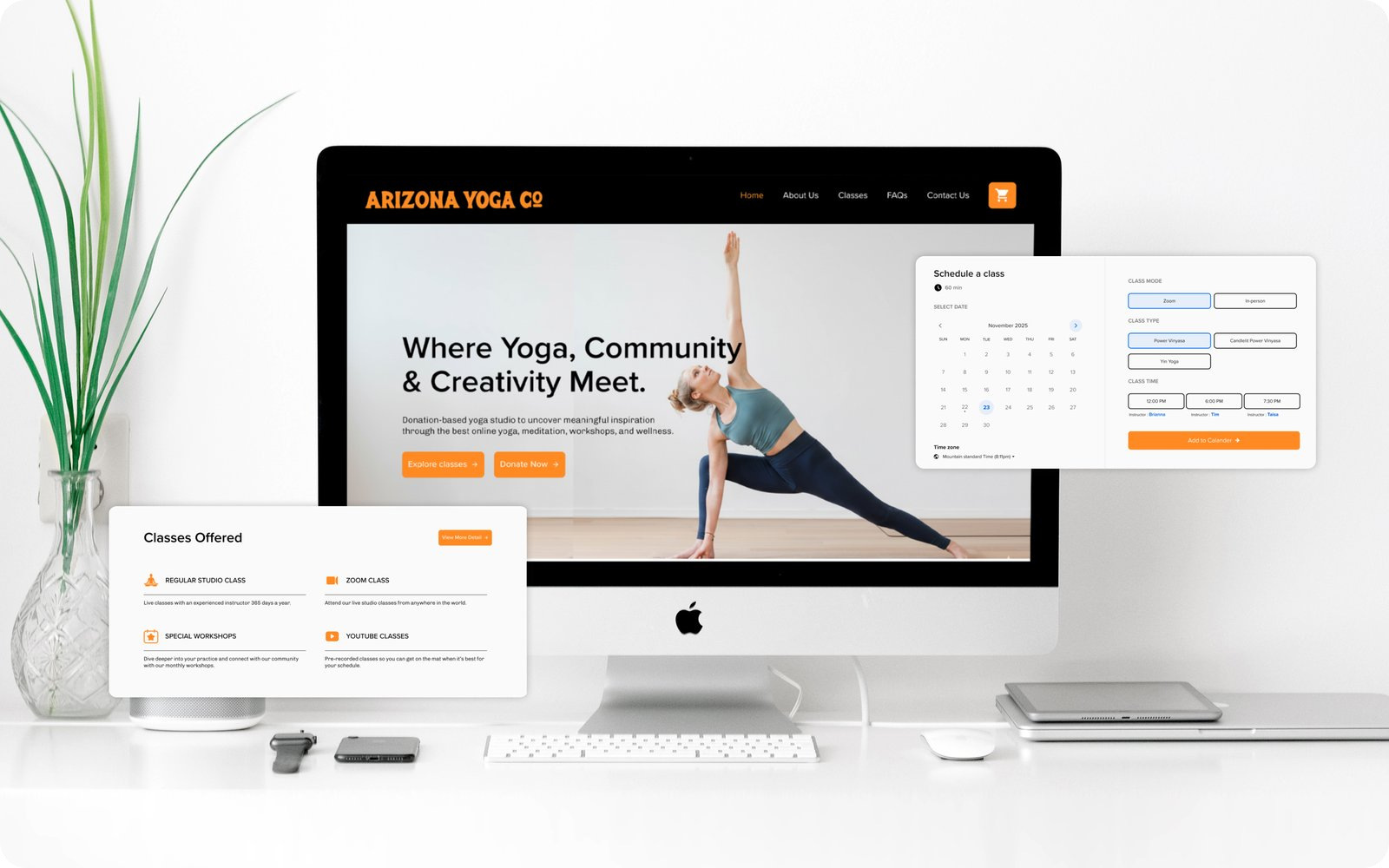
The yoga website that made joining a class harder
Arizona Yoga Co. is a donation-based, community-focused yoga studio in downtown Tempe. Its website plays a critical role before someone ever walks into the
studio: visitors use it to explore classes, compare schedules, understand donation expectations, learn about instructors, prepare for their first visit, and register for
workshops.The existing experience made those decisions unnecessarily difficult.
Class schedules, instructor details, donation information, memberships, workshops, payment methods, and visit logistics were distributed across disconnected pages.
Navigation labels did not match how users searched for information. The booking experience offered weak feedback, leaving participants unsure whether their
registration had succeeded. The result was not simply a confusing website. It was an experience that created uncertainty at the exact moment users were deciding
whether to attend
Design Challenge
How might we help first-time and returning visitors find the right class, understand the donation model, and complete registration without searching across
disconnected pages or second-guessing their decisions?
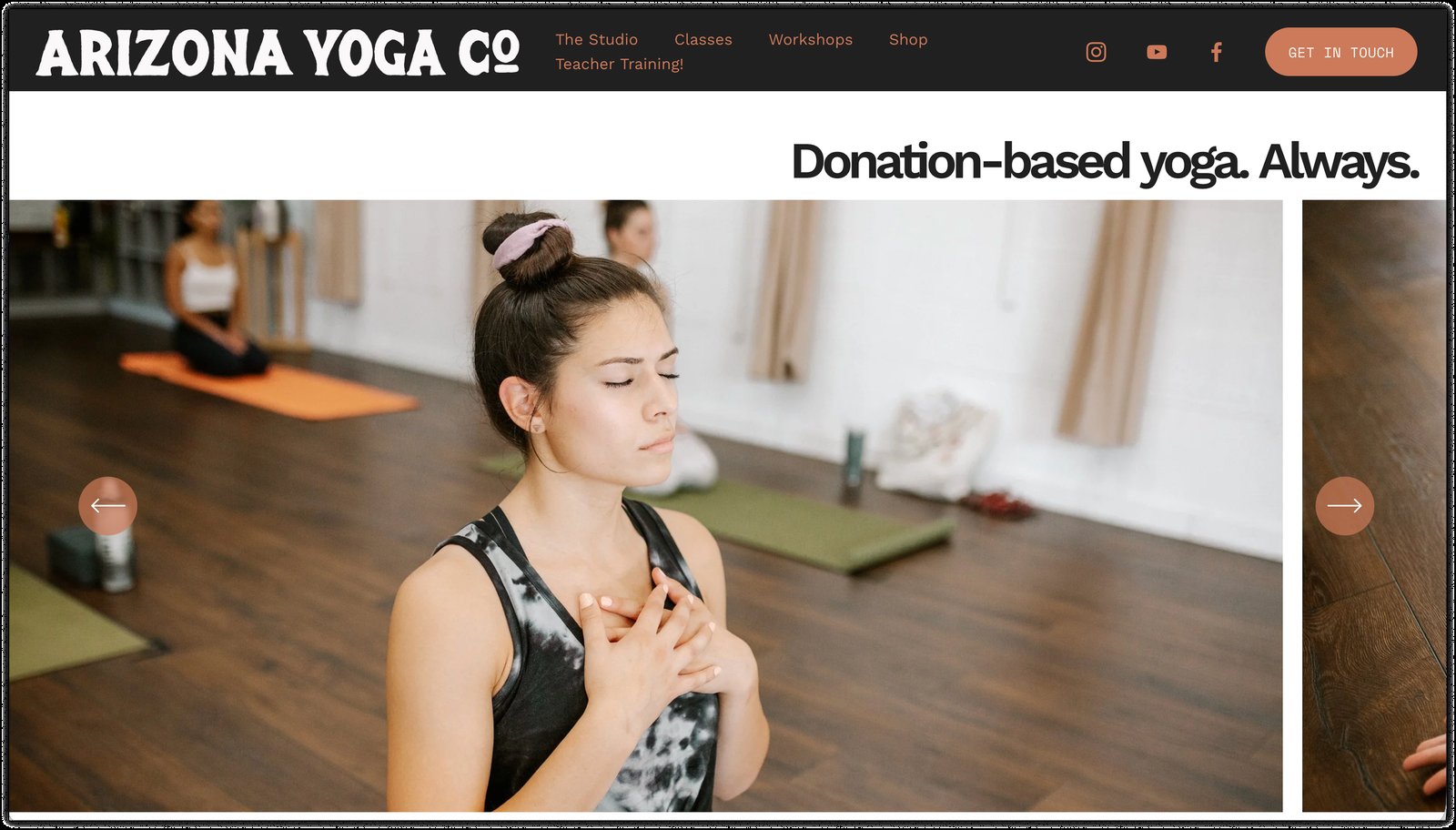
Home Page
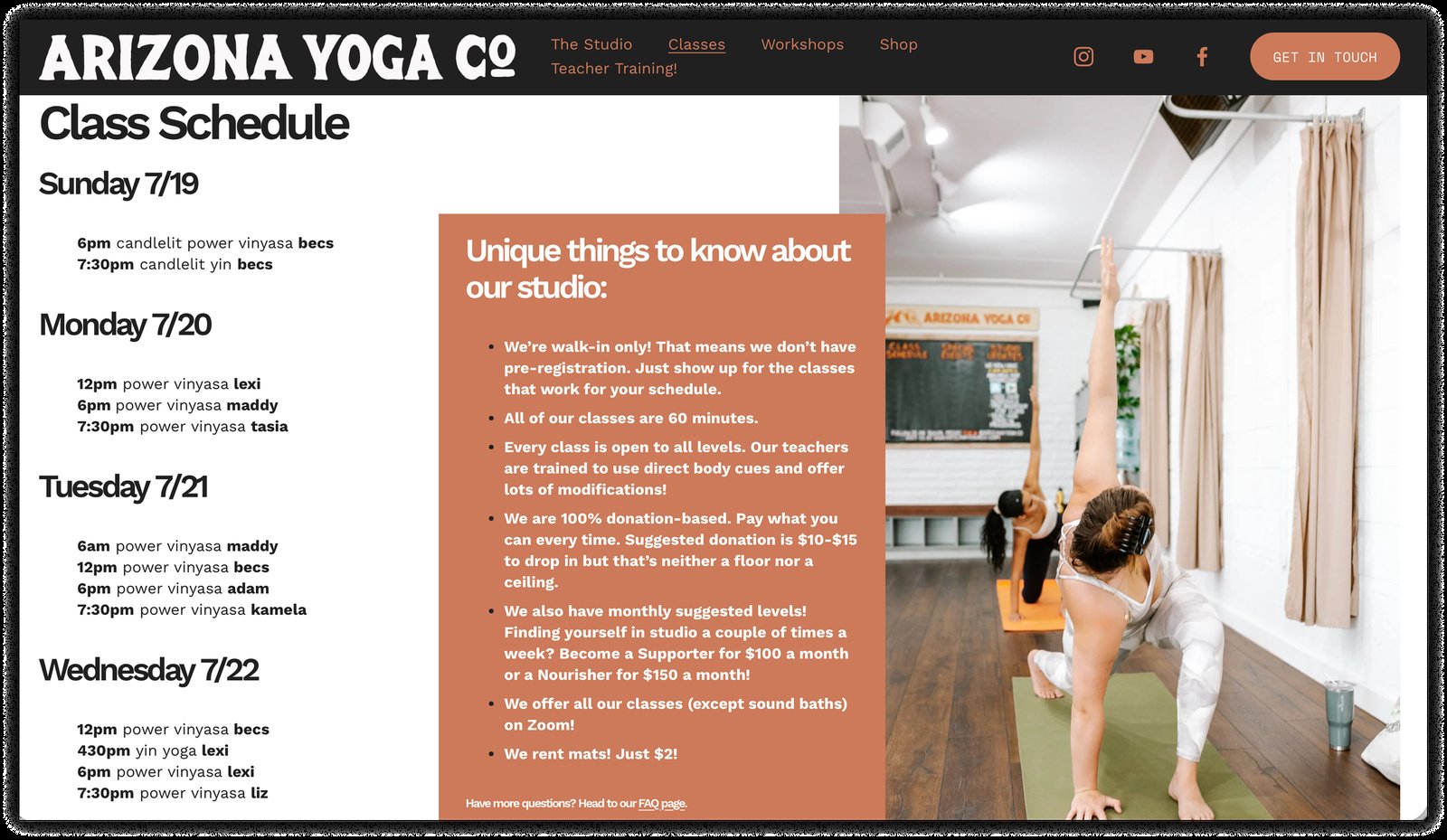
Class Schedule Page
Checkout Page
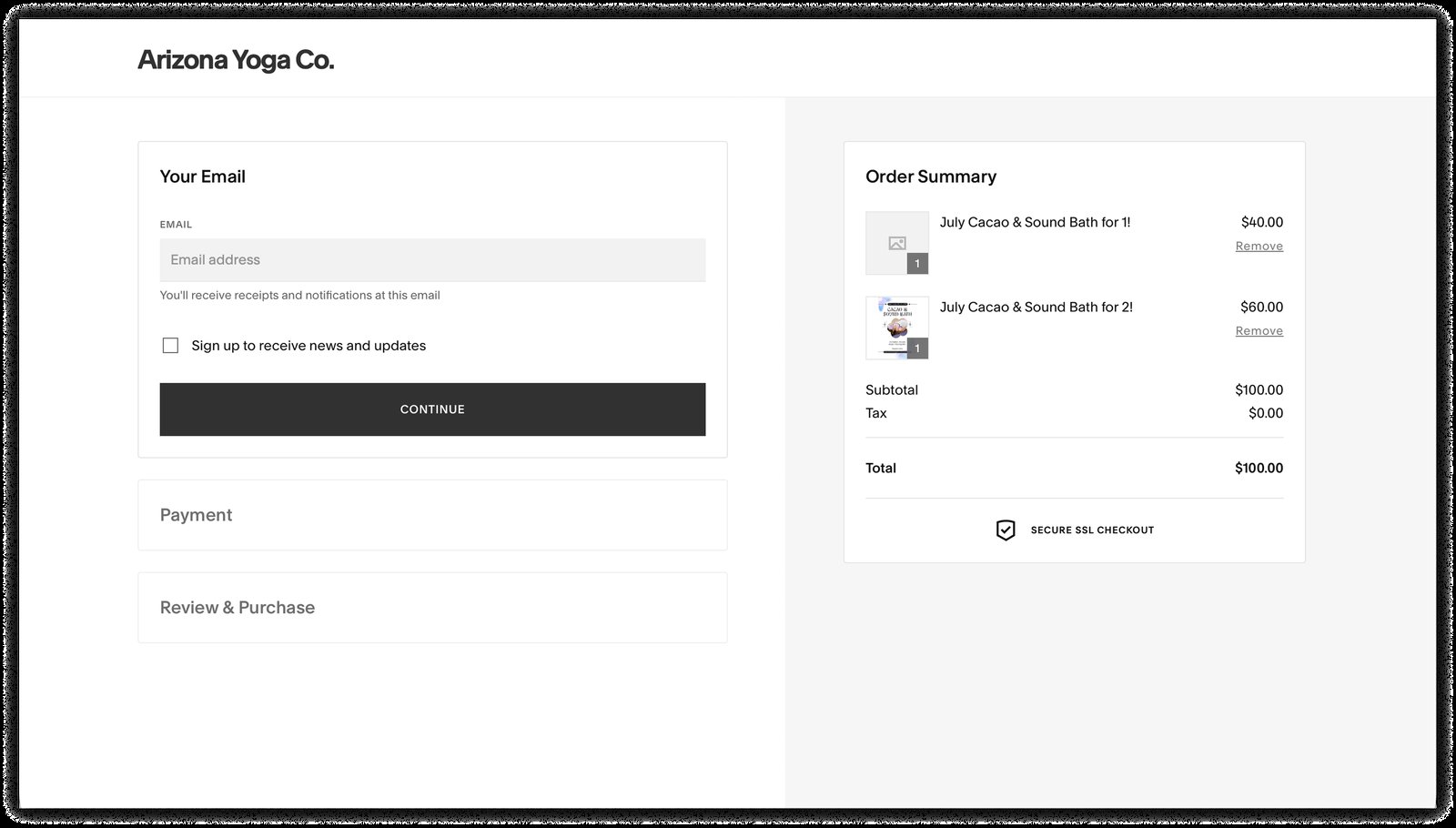
These issues created friction across the booking journey, making it harder for users to find the right class, understand the donation model, and complete registration
with confidence.
Lowered Booking Confidence
Users could enter the registration flow but could not confidently determine whether they had completed it.
Reduced Class Discoverability
Schedules, class types, instructors, and availability were not presented as one connected decision.
Weakened Trust
Unclear donations, missing payment information, weak form feedback, and ambiguous checkout details made the experience feel less reliable.
A 12-Week Process Moving from Research to Evidence
The project began with an evaluation of the current experience before involving users. I reviewed the website against Nielsen’s usability heuristics and WCAG
accessibility considerations, then used a 17-person survey to understand user expectations around scheduling, pricing, booking, and class discovery.
Discovery
01
UX Audit
Reviewed the site’s structure, flows, and interactions.
Evalution
02
Heuristic & Accessibility Review
Evaluated usability and accessibility issues.
Research
03
Survey
Surveyed 17 users on needs and booking preferences.
Synthesis
04
User Journey Map
Defined the primary user and mapped the journey.
Validation
05
Usability Testing
Tested key tasks with nine users.
Output
06
Design Direction
Improved structure, booking, donations, and accessibility.
The biggest problems appeared in four areas. They were not just visual issues, they showed deeper problems with content organization, unclear wording, system
feedback, and accessibility.
01
Visibility of System Status
Weak feedback during booking, checkout, and registration left users unsure whether actions were completed.
High Severity02
Match With User Mental Models
Users expected terms like Pricing, Teachers, and Book, but related information was scattered across unclear categories.
High Severity03
Recognition Rather Than Recall
Class details, instructors, availability, and registration were disconnected, forcing users to remember information across pages.
High Severity04
Error Prevention and Accessibility
Unclear forms, weak controls, cart issues, duplicate ARIA IDs, and low-contrast text created usability and accessibility barriers.
High SeverityThe website provided information, not direction.
Survey participants primarily needed clear pricing, class schedules, booking options, and easy navigation. They were not visiting to passively browse brand content.
They wanted to decide whether a class fit their schedule, experience level, budget, and comfort level. The research showed that the website treated those needs as
separate categories even though users experienced them as one decision.
Easier Navigation
13
respondents emphasized that easier navigation
would improve fitness websites.
Pricing and Booking
12
respondents prioritized transparent pricing and
online booking.
Class Schedules
11
respondents considered visible schedules one of
the most important website features.
Critical Finding
76% (13 out of 17 users) participants visited yoga or fitness websites only rarely or occasionally.
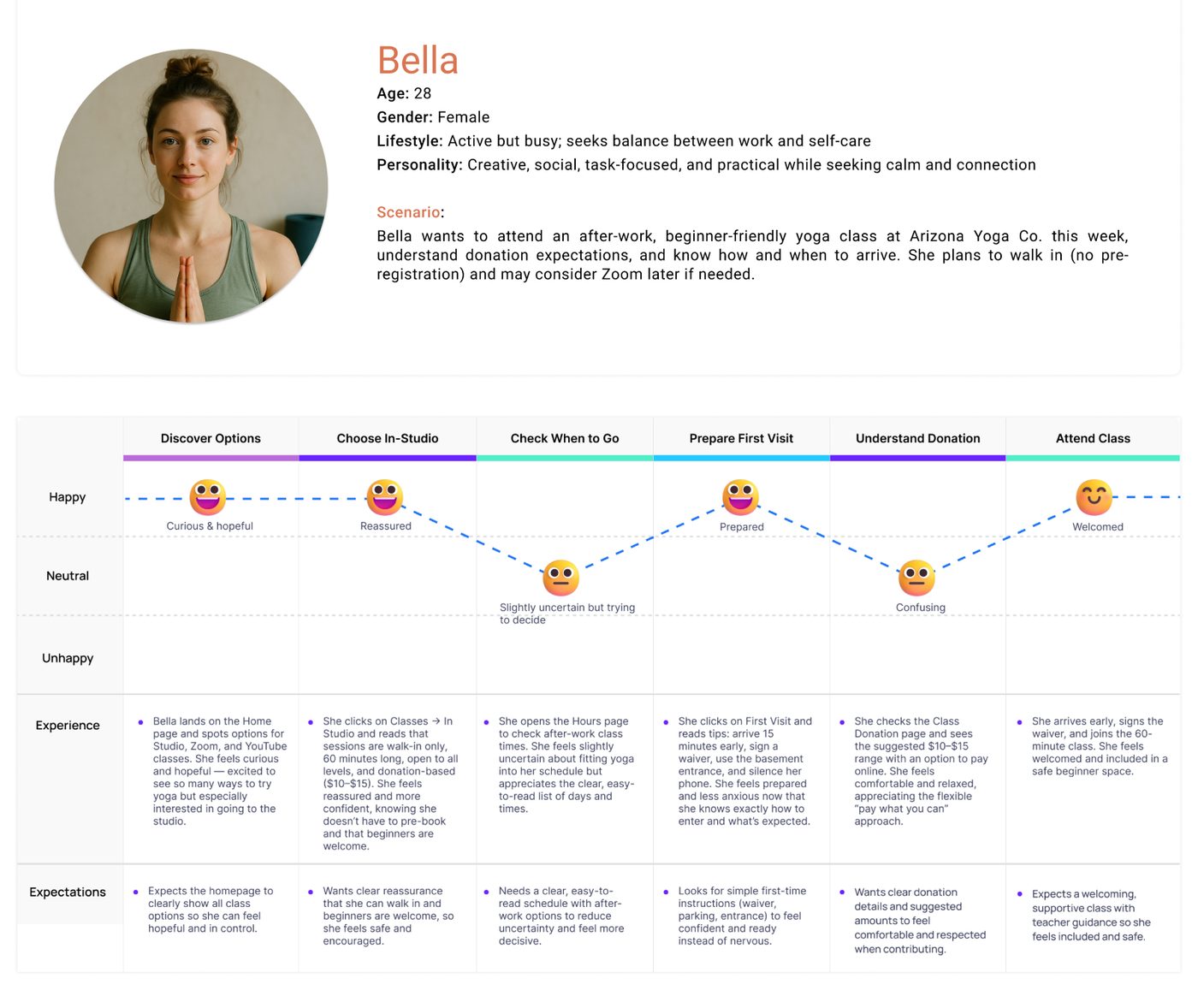
A visitor exploring the experience before making a commitment
First-time and occasional visitors could not quickly determine whether Arizona Yoga Co. was approachable, affordable, or practical for them. Essential information
about pricing, class expectations, booking, and the studio experience was fragmented or unclear, increasing uncertainty before attendance.
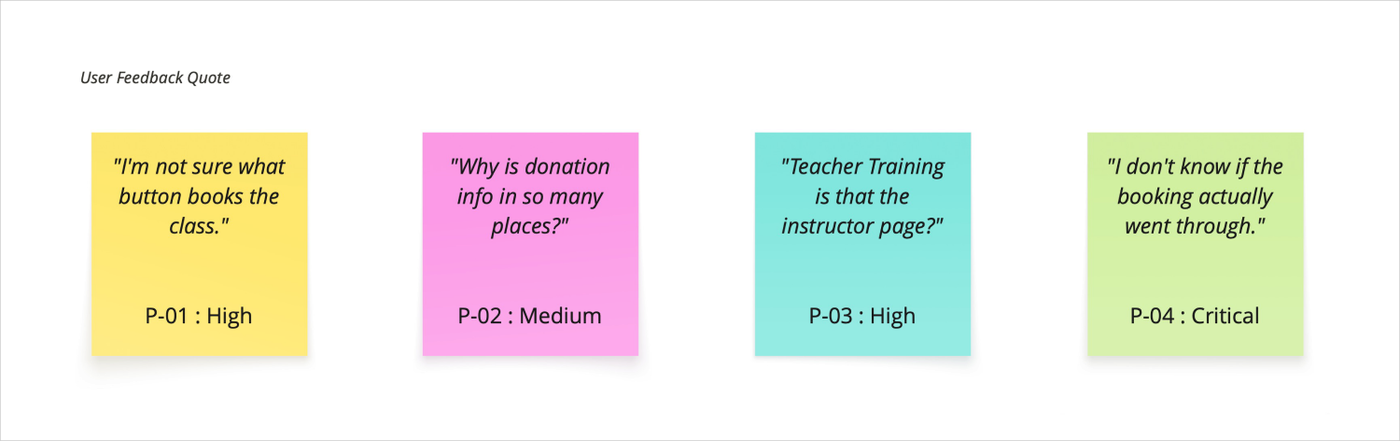
Testing revealed three recurring friction points at critical decision moments.
Connecting a Class With Its Instructor
Participants confused the Teacher Training page with the regular instructor directory and struggled to identify which instructor taught a
specific class.
Understanding Donation-Based Pricing
Users searched across multiple pages because the donation-based model was not presented in the familiar language of pricing, fees, or
class cost.
Confirming Registration
Participants could complete the checkout flow, but unclear payment details, tax information, and confirmation messaging left them unsure
whether registration was successful.
Users Could Navigate, but Not Complete Tasks Confidently.
I conducted nine moderated sessions using realistic tasks across class discovery, instructors, donation-based pricing, visit preparation, workshops, and checkout.
Participants used both mobile and desktop devices. Sessions assessed task completion, navigation behavior, hesitation, backtracking, and participant feedback.
Booking Completion
11%
Only one of nine participants completed the
booking task successfully.
Donation Understanding
22%
Only two of nine clearly understood the
donation model.
Instructor Discovery
44%
Fewer than half found instructor information
without confusion.
Task
Outcome
Design Signal
Find class information
Retain basic discoverability; improve class context
Find first-visit information
Preserve useful content but improve visibility
Find instructor information
Link teachers directly to class listings
Complete booking
Replace fragmented cart flow with an explicit booking journey
Understand donation model
Centralize and rewrite pricing information
Participants expressed uncertainty across every core task
A Strategy Focused on Critical User Decisions.
Based on the audit, survey, accessibility review, and usability testing, I prioritized issues by task criticality, user frequency, trust impact, and severity. The strategy
focused on the moments that directly influenced whether users understood the service, selected a class, or completed registration.
Clear Navigation
Use visitor-friendly labels and separate teacher training content.
Donation Clarity
Explain suggested amounts, impact, and payment options in one place.
Confident Booking
Create one clear booking flow with confirmation and error recovery.
Class Discovery
Show time, level, instructor, availability, and cost together.
Accessible Feedback
Improve labels, errors, focus states, confirmations, contrast.
Solve the hierarchy before shaping the experience.
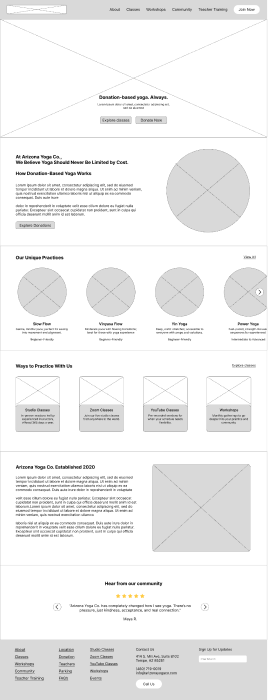
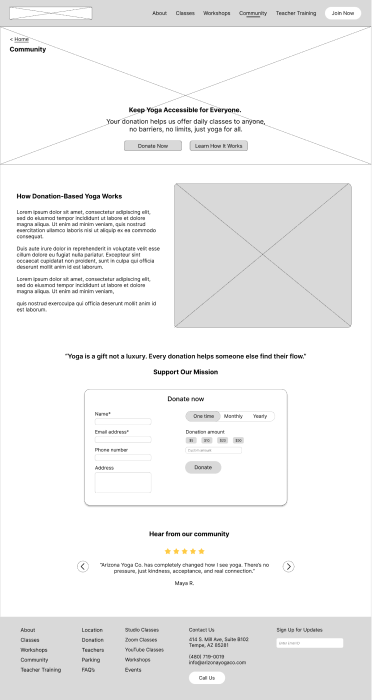
Low-fidelity wireframes should prioritize clear information hierarchy, logical content relationships, intuitive navigation, and the visibility of key actions. At this stage,
the focus should remain on structure and usability rather than decorative yoga imagery, branding details, colors, or polished visual elements.
Homepage (Donation-Based Model) - Suggestion
Simplified the homepage with clearer navigation and a prominent donation message so new visitors can quickly understand the studio’s donation-based model.
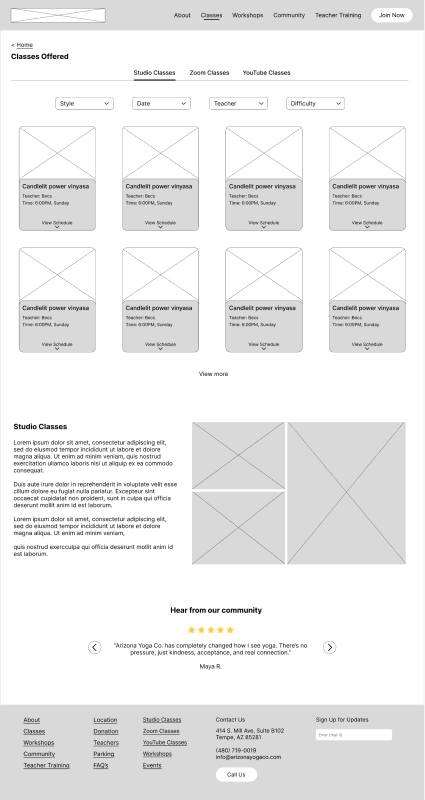
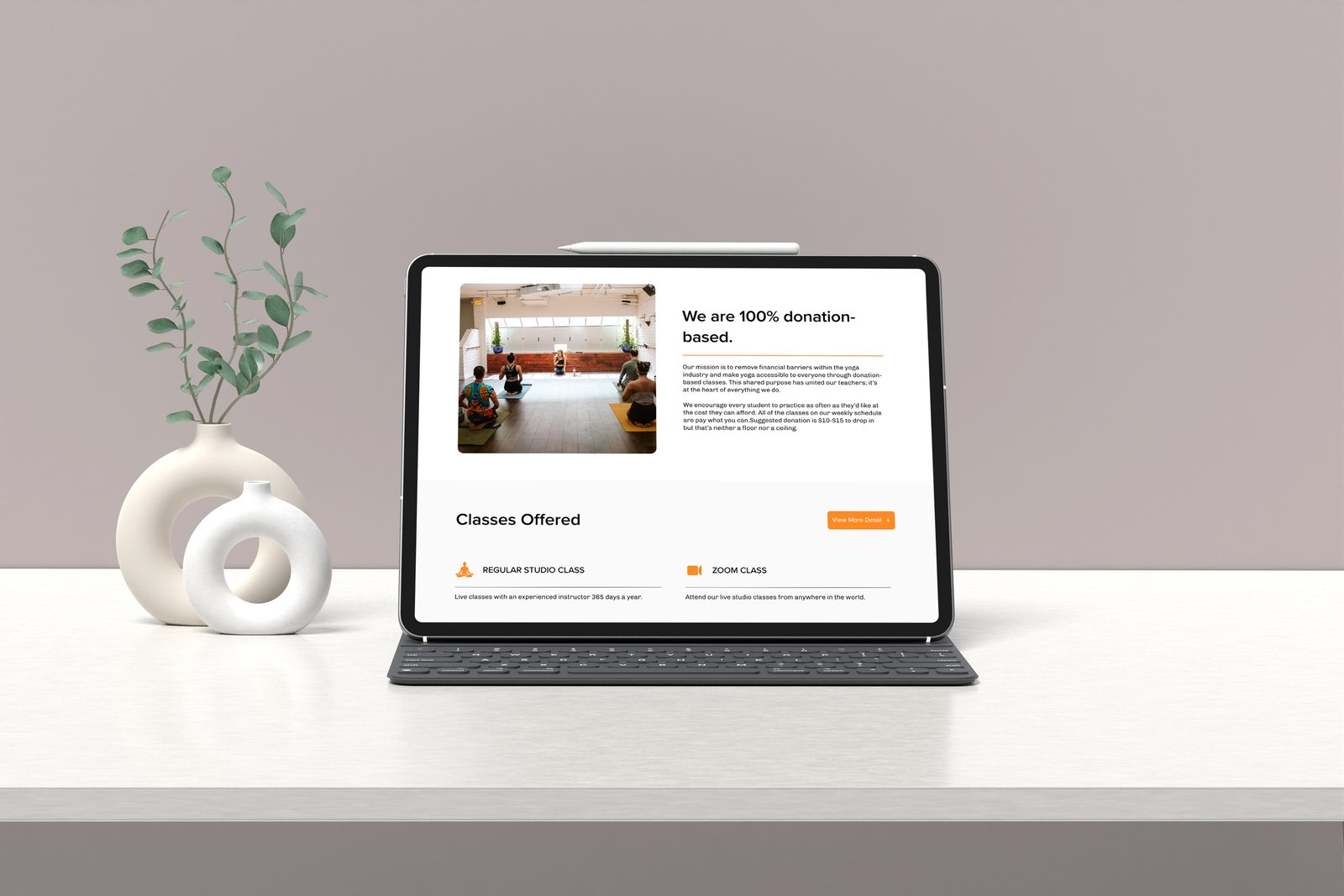
Classes Offered (Class Details) - Major Issue
Made instructor names clickable and organized class types into clear cards, helping users scan and choose classes faster.
Donation Page - Blocker
Made the donation model easier to understand with clear labels, simple contribution steps, and the impact of supporting the studio.
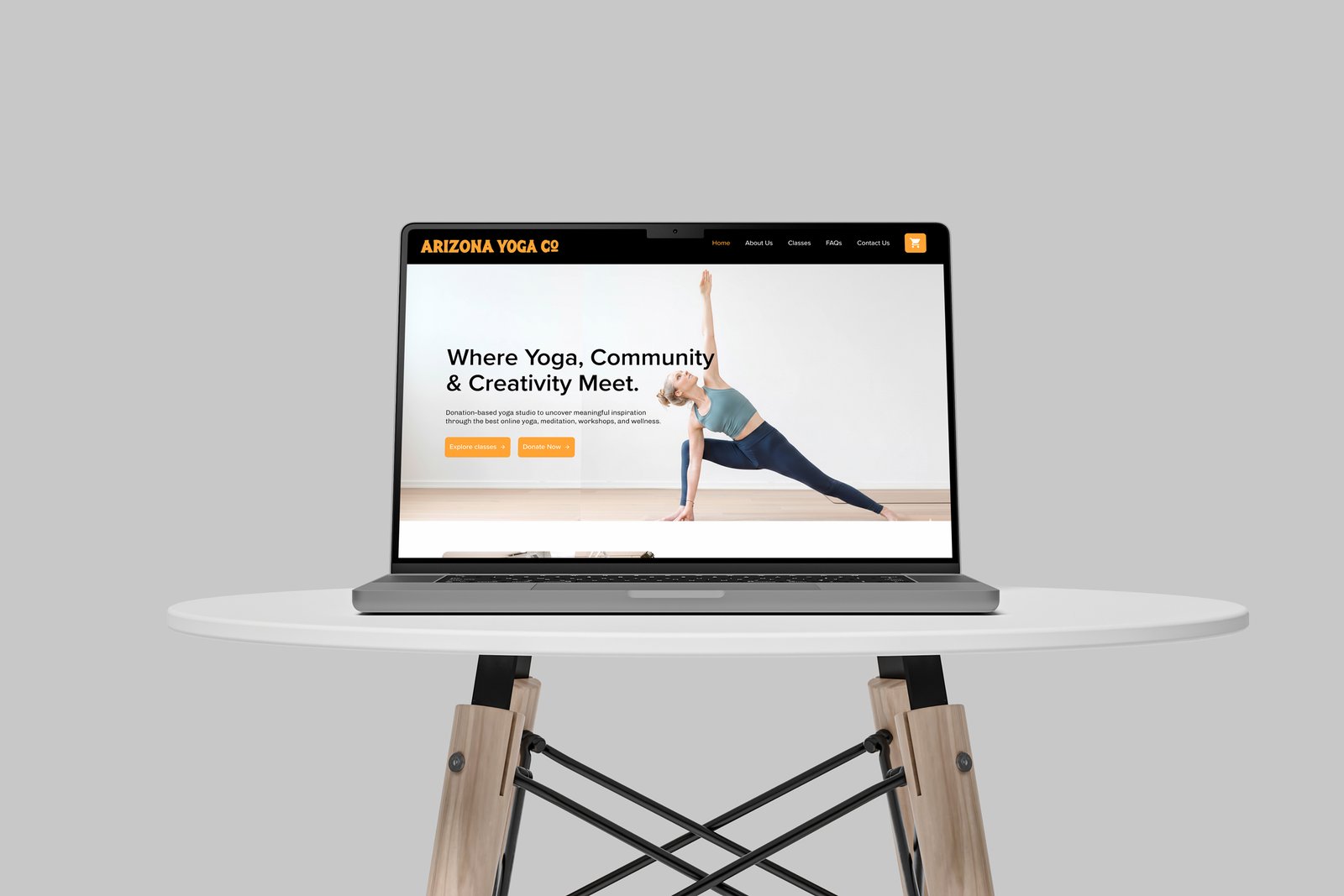
Homepage : Helping Visitors Know Where to Begin
The homepage helps first-time visitors understand the studio, donation model, upcoming classes, walk-in policy, and how to attend. View Class Schedule leads the
hierarchy, supported by Plan Your First Visit and How Donations Work.
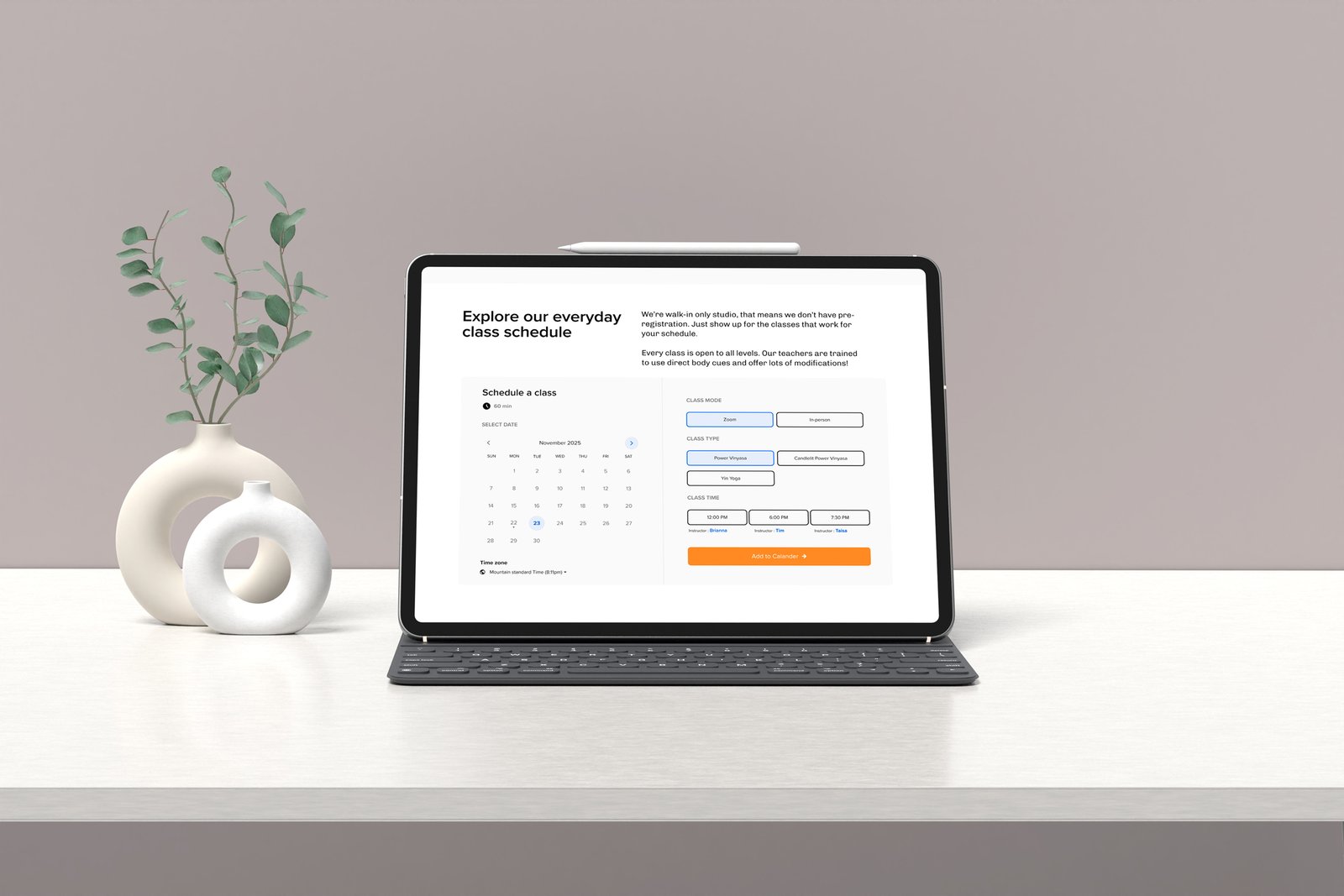
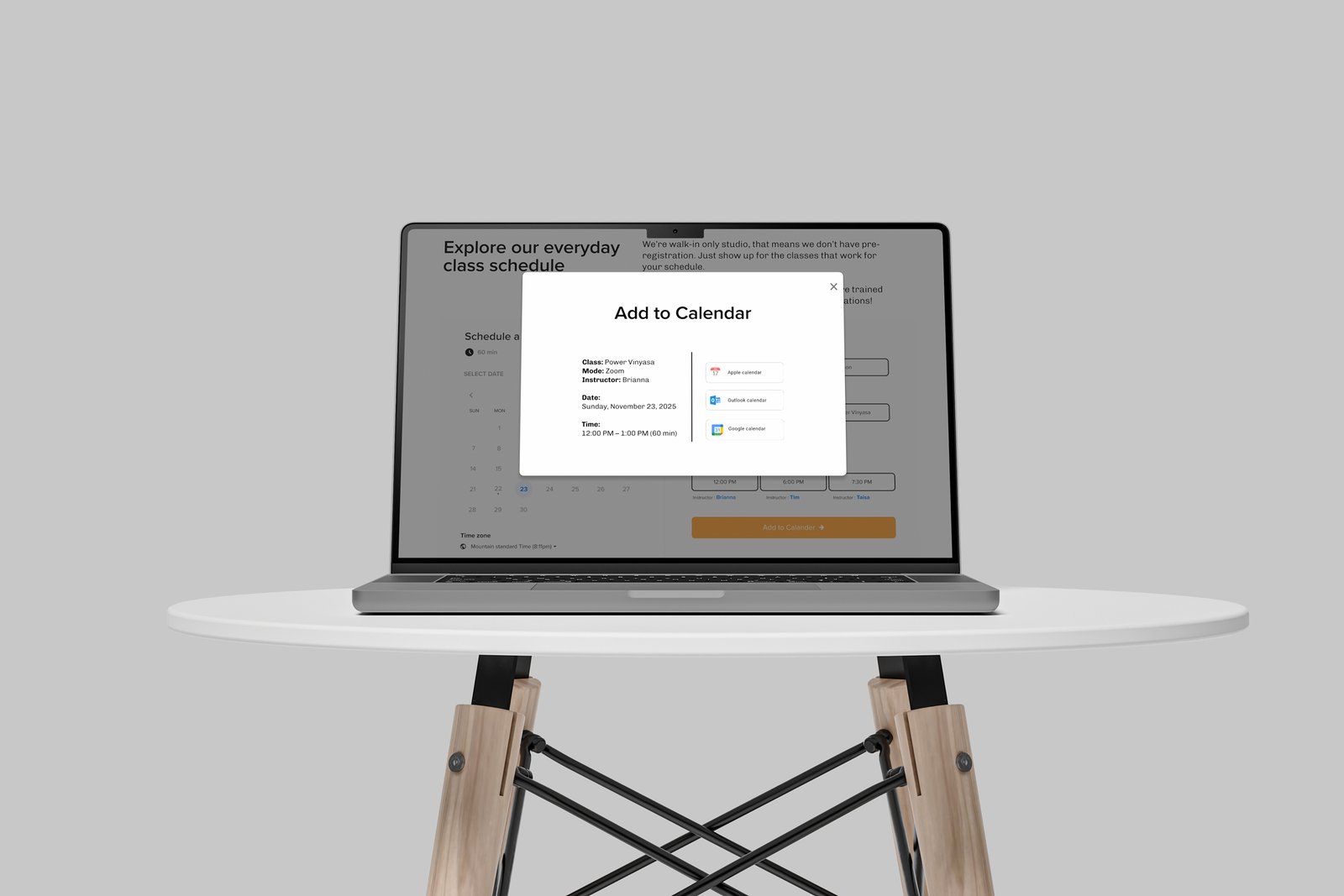
Class Schedule : All Decision Information in One Place
The schedule becomes the main class-selection tool, combining essential class details, availability, contribution guidance, and clear booking actions. Filters and
visible date navigation make finding the right class faster.
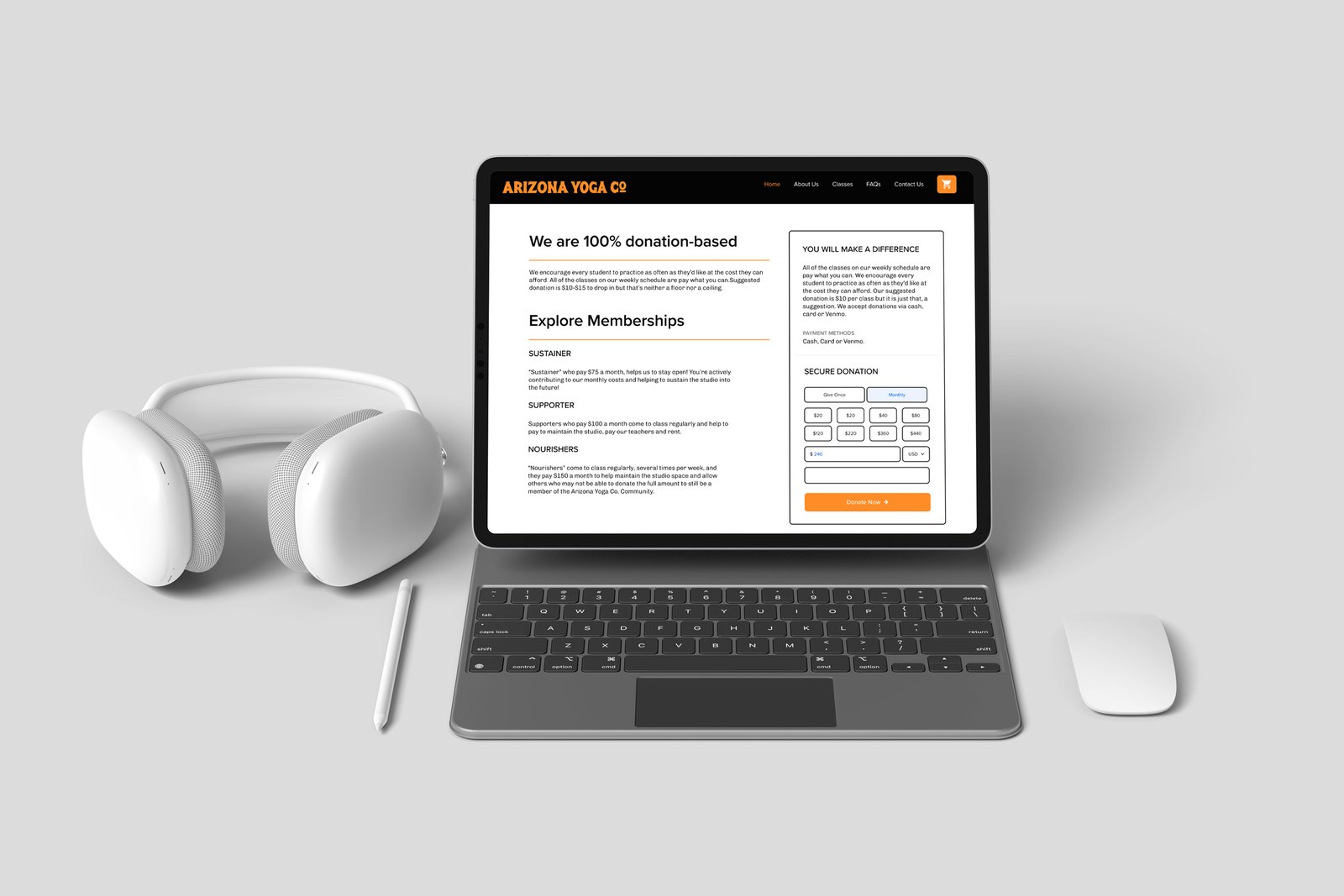
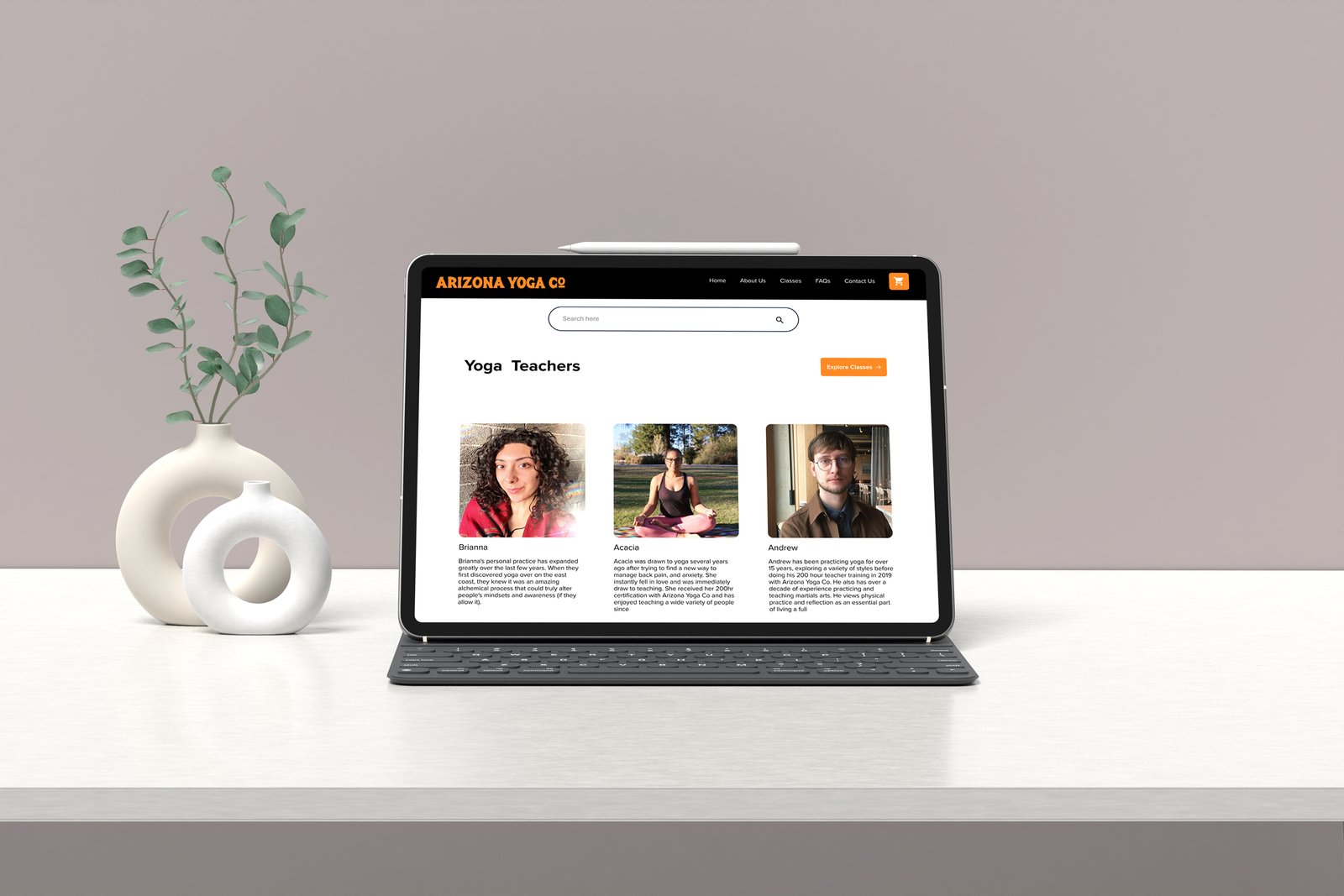
Pricing, Donations & Teacher Trust : Explain Before Asking
The experience explains the donation model, suggested contributions, payment options, and memberships before asking users to commit. Detailed teacher profiles
including credentials, teaching style, experience levels, and upcoming classes help visitors evaluate fit and move directly into booking.
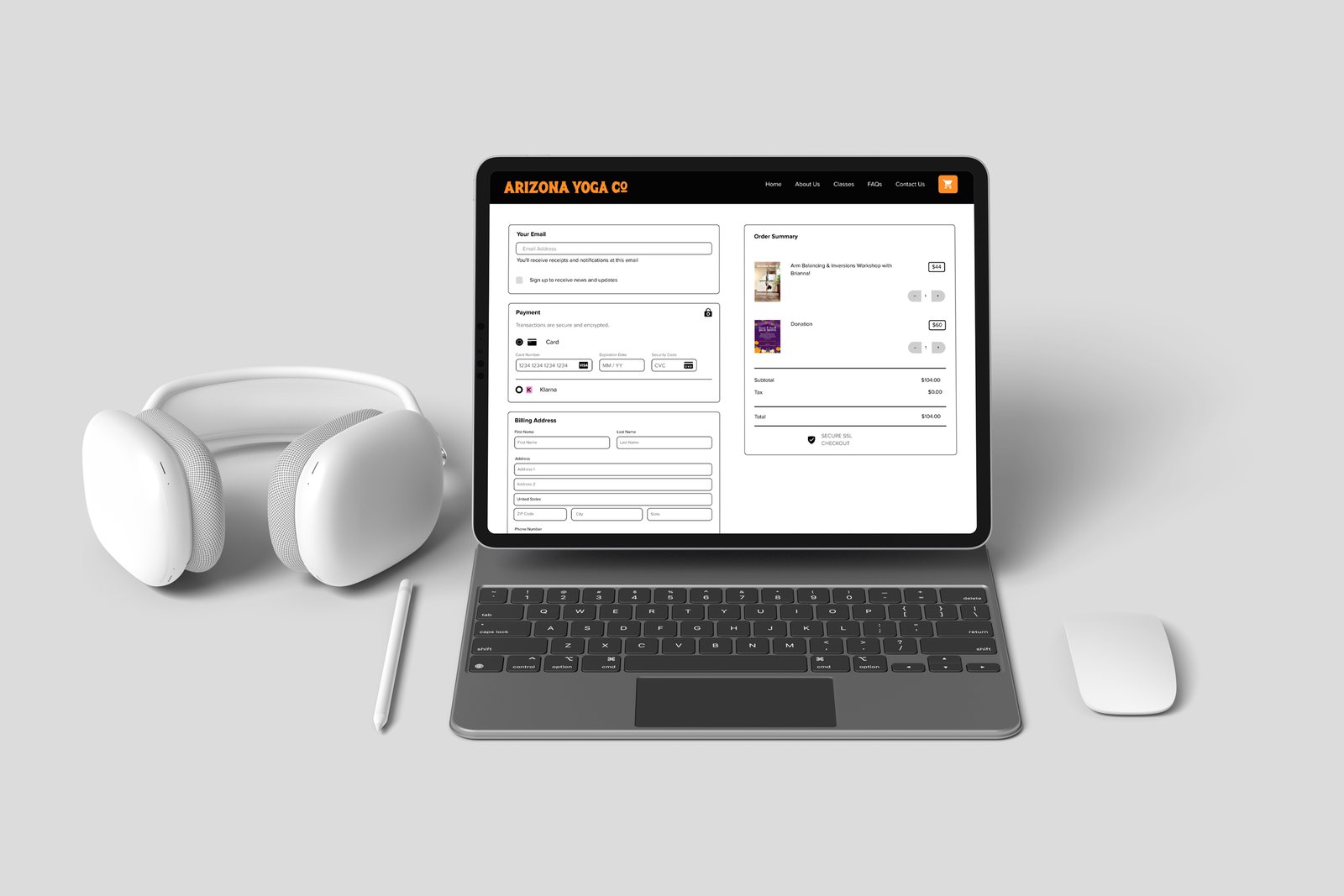
Booking Flow : Clear Path to Completion
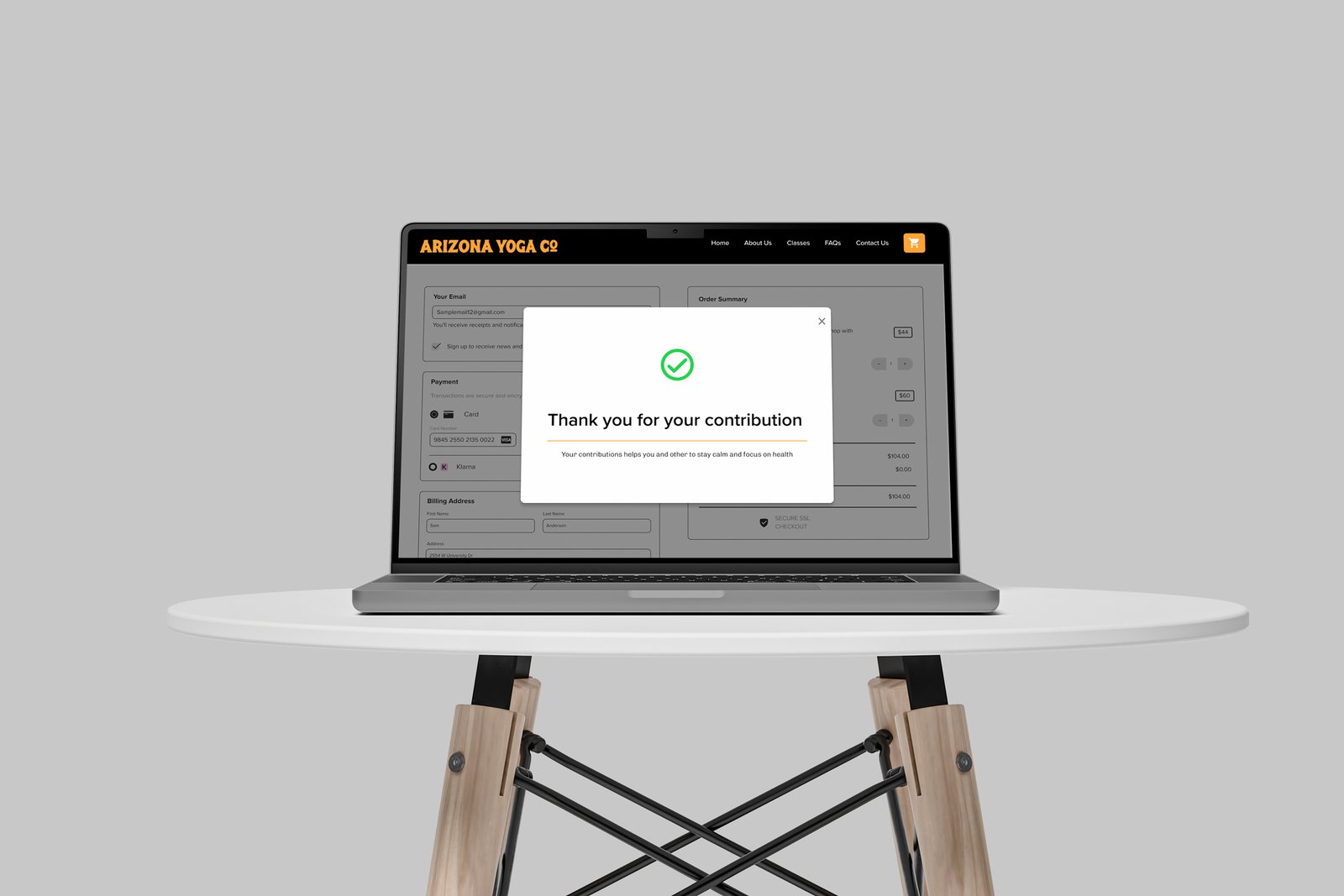
A three-step flow Select, Review, and Confirm, makes booking progress easy to follow. Class and payment details remain visible throughout. The final screen confirms
registration and provides calendar, email, first-visit, and cancellation information.
NAVIGATION
Reorganized content around visitor needs, making classes, instructors,
pricing, and visit details easier to find.
DONATION CLARITY
Combined donation guidance, suggested contributions, impact,
memberships, and payment options into one transparent experience.
BOOKING CONFIDENCE
Created a clear three-step booking flow with review, confirmation,
and error-recovery support.
TRUST AND ACCESSIBILITY
Standardized interaction states, forms, contrast, semantic structure, and
feedback across key pages.
Task completion alone does not define a successful experience. Users also need clear information, confidence in their choices, and confirmation that an action was
completed. I learned that labels and terminology directly influence user behavior, not just visual design. The strongest design priorities emerged when the same issues
appeared across surveys, usability testing, heuristic evaluation, and accessibility findings. This reinforced the value of combining multiple research methods before
making design decisions.
Next Project
TriagenCoffee? Let's Build Something Thoughtful.
I’m open to conversations about product design, UX strategy, AI experiences, and teams building
work that genuinely helps people.
Radhika Sunil Autade
Phoenix, Arizona
© 2026 Radhika Sunil Autade. All rights reserved.